---
title: How do I forward my post?
description: "Q: How can I forward my post? A: Open Your Inbox Click Inbox in the Mail Platform. Select the Item Find and click the mail item you’d like to forward. Choose “Forward” Click the ϟ action menu in the"
---
[Skip to content](https://workspace.officesuites.ie/knowledge-base/how-do-i-forward-my-post#main-content)
English
Show submenu for translations
[](https://workspace.officesuites.ie/knowledge-base?hsLang=en)
Open main navigation
Close main navigation
- English
Show submenu for translations
Hello. How can we help you?
- There are no suggestions because the search field is empty.
1. [Help & Support](https://workspace.officesuites.ie/knowledge-base?hsLang=en)
2. [Postal Questions](https://workspace.officesuites.ie/knowledge-base/postal-questions?hsLang=en)
# How do I forward my post?
Q: **How can I forward my post?**
A:
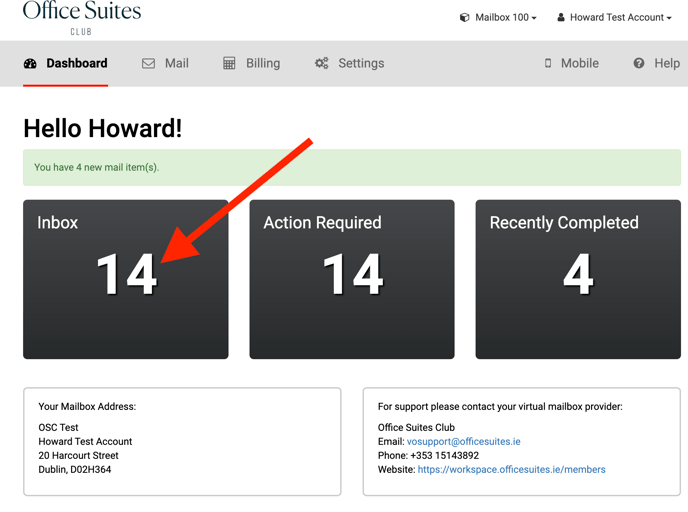
- **Open Your Inbox**
- Click **Inbox** in the Mail Platform.
****
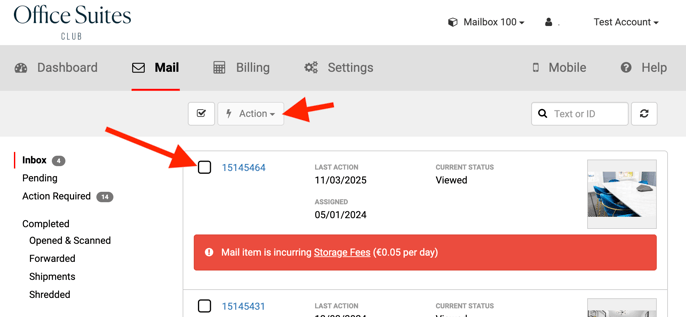
- **Select the Item**
- Find and click the mail item you’d like to forward.
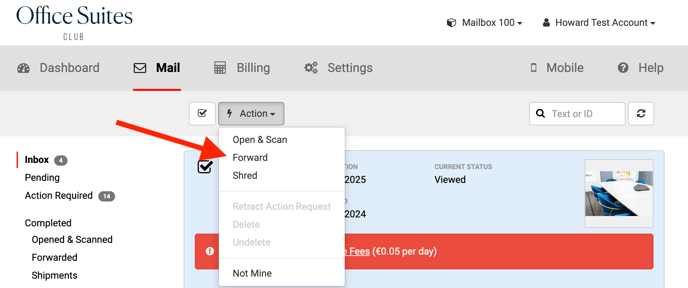
- **Choose “Forward”**
- Click the ϟ action menu in the top‑right of the mail view.
****
- Select **Forward** from the dropdown
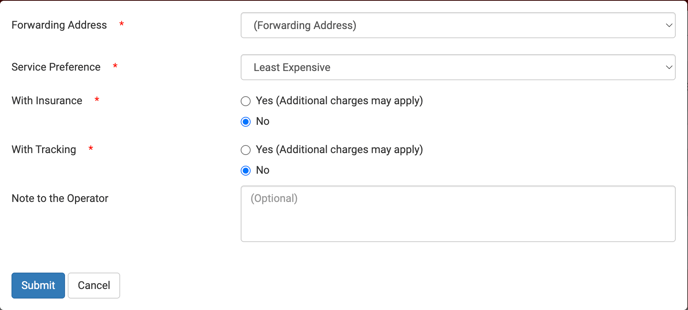
- **Configure Forwarding Options**
- **Choose a Destination**: Select one of the forwarding addresses you added during onboarding.
- **Select Delivery Options**: Pick your preferred service level—e.g., Tracking, Next‑Day Delivery, or Insurance.
****
**Q: How can I track my forward requests?**
**A:**
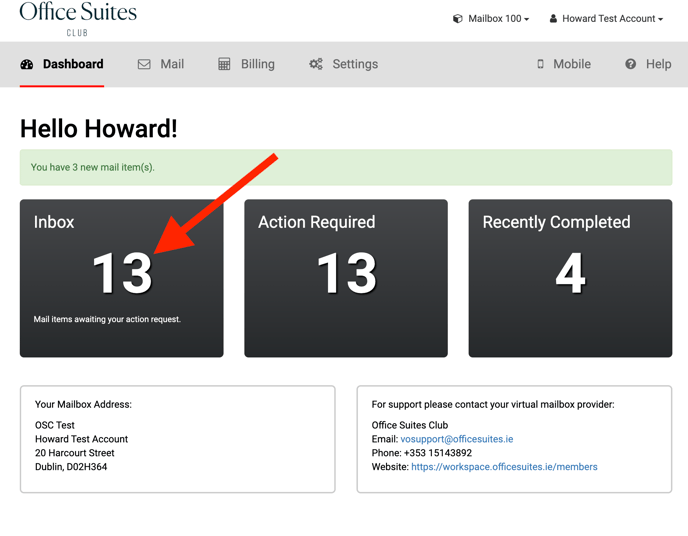
- **Pending Shipments:** After requesting a forward, log in to the Mail Platform and go to **Mail Tab \> Pending**. Your item will appear as “Pending.”
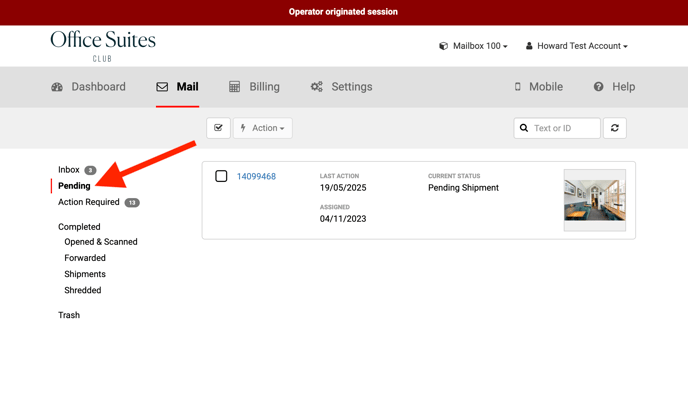
- **Completion Notification:** You’ll receive an email once the post room completes the forward. The item will then move to **Completed \> Forwarded** in the Mail Platform.
- [Postal Questions](https://workspace.officesuites.ie/knowledge-base/postal-questions?hsLang=en)
- [Meeting Room Questions](https://workspace.officesuites.ie/knowledge-base/meeting-room-questions?hsLang=en)
- [Account Questions](https://workspace.officesuites.ie/knowledge-base/account-questions?hsLang=en)
[](https://www.officesuites.ie/)
Copyright © 2025, Office Suites Club